
UI/UX Design
Design files yourdevelopers can build.
For teams whose product works but converts poorly or confuses people, and for teams that need designs a developer can build from directly.
Sound Familiar?
Where Products LoseUsers Right Now
Works, But Doesn’t Convert
The product technically works, but users bounce, hesitate at checkout, or abandon the flow halfway. Nobody on the team can point to exactly why.
Every Feature Reinvents the UI
With no shared component library or design tokens, every new screen looks slightly different, spacing drifts, and the product feels stitched together rather than designed.
Handoff Is a Screenshot
Developers guess at spacing, states, and edge cases because the "spec" is a flat image, not a real file, so what ships rarely matches what was designed.
Why Javapixa
Design ThatActually Ships
Six specific, checkable reasons teams pick Javapixa over a freelancer with a pretty portfolio.
Research Before Pixels
Designs are based on how your actual users behave, not on what looks good in a mockup. We start from the reason your product converts poorly, not from a blank Figma file.
Real, Editable Files
Every deliverable is a genuine Figma file with components, variants, and states, not a flattened screenshot your developer has to guess at.
Fixed Price, No Surprises
A fixed-price quote before work starts. No hourly billing, no scope creep charged after the fact.
Revisions Until It Fits
We revise within the agreed scope until you are satisfied with the direction, before detailed screens get built out.
WCAG 2.1 AA Built In
Contrast, keyboard navigation, and screen-reader support checked by default, not added later when it becomes a legal risk.
Design Systems That Scale
Component libraries and documented tokens, so your team can add new screens later without hiring us to keep it consistent.
What You Get
Every Engagement ShipsWith All of This
Not add-ons you have to ask for, standard on every design project we deliver.
Wireframes
Low-fidelity structure agreed before any visual design starts, so layout decisions get made early, not discovered late.
Interactive Prototypes
Click-through Figma prototypes you can test before a single line of code is written.
User Flow Mapping
Every path a user can take through the product, mapped so edge cases get designed, not improvised by whoever builds it.
Design Tokens & Component Libraries
Reusable components and tokens, not one-off screens, so new features stay visually consistent without redesigning from scratch.
A/B Testing Guidance
Recommendations on what to test and why, when a design decision is genuinely uncertain rather than guessed at twice.
Accessibility Review
Contrast ratios, focus states, and screen-reader flow checked against WCAG 2.1 AA before handoff, not after a complaint.
Not Sure What You Need?
Design Alone, orDesign Plus the Build?
This page covers design only. If you also need it built, the dedicated pages below have more detail.
Design Only
You already have developers, in-house or elsewhere, who just need Figma files and specs they can build from directly.
Design + Web Development
You need the interface designed and built: a website or web application delivered end to end.
Design + App Development
The product is a custom application or dashboard, not a marketing site, and needs design and engineering together.
How We Work
From Researchto Handoff
Research & Wireframes
User research and low-fidelity structure first, so layout problems get caught before visual design starts.
Visual Design
Full visual treatment applied to the approved structure: color, type, and componentry, reviewed with you screen by screen.
Prototype & Test
Click-through prototype built and tested before your developers touch a single screen.
Handoff & Design System
Component library, tokens, and developer specs delivered as a real Figma file, not a flattened export.
Tools
What WeDesign In
Case Studies
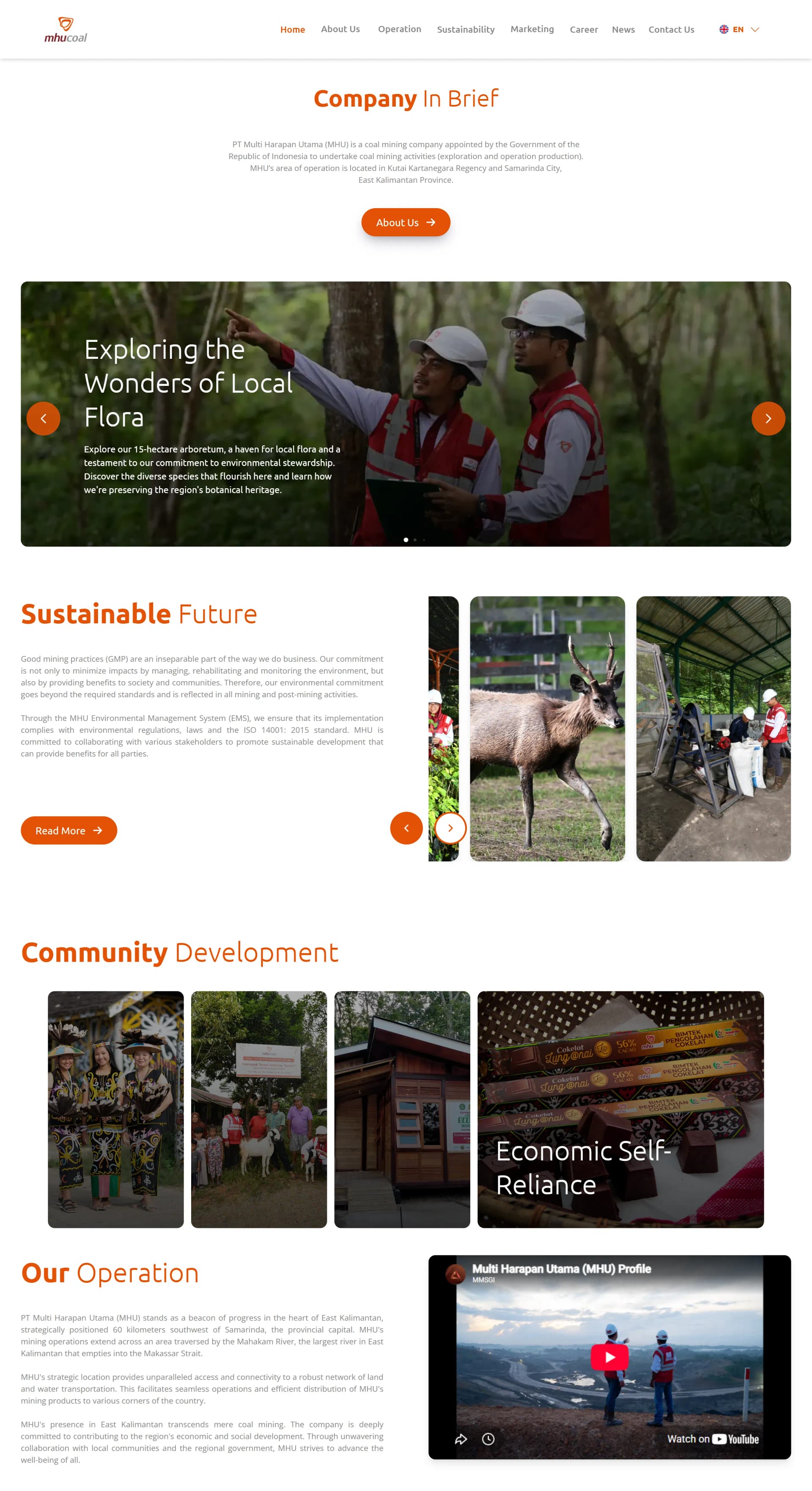
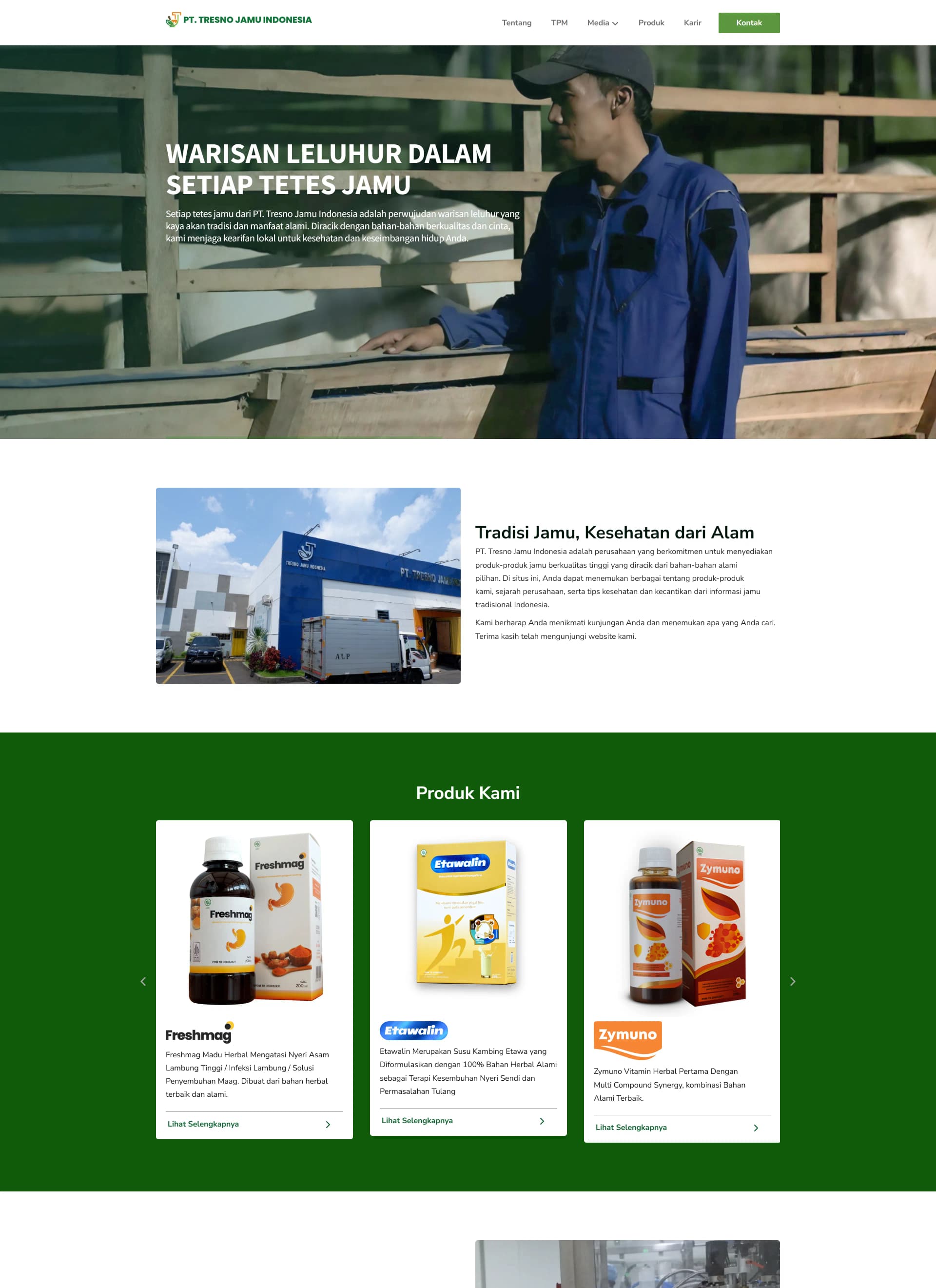
Design thatDrives Results
_6J7BRmOZp.png&w=1920&q=75)
_Bc1BAPtm9.png%3FupdatedAt%3D1765319554256&w=1920&q=75)
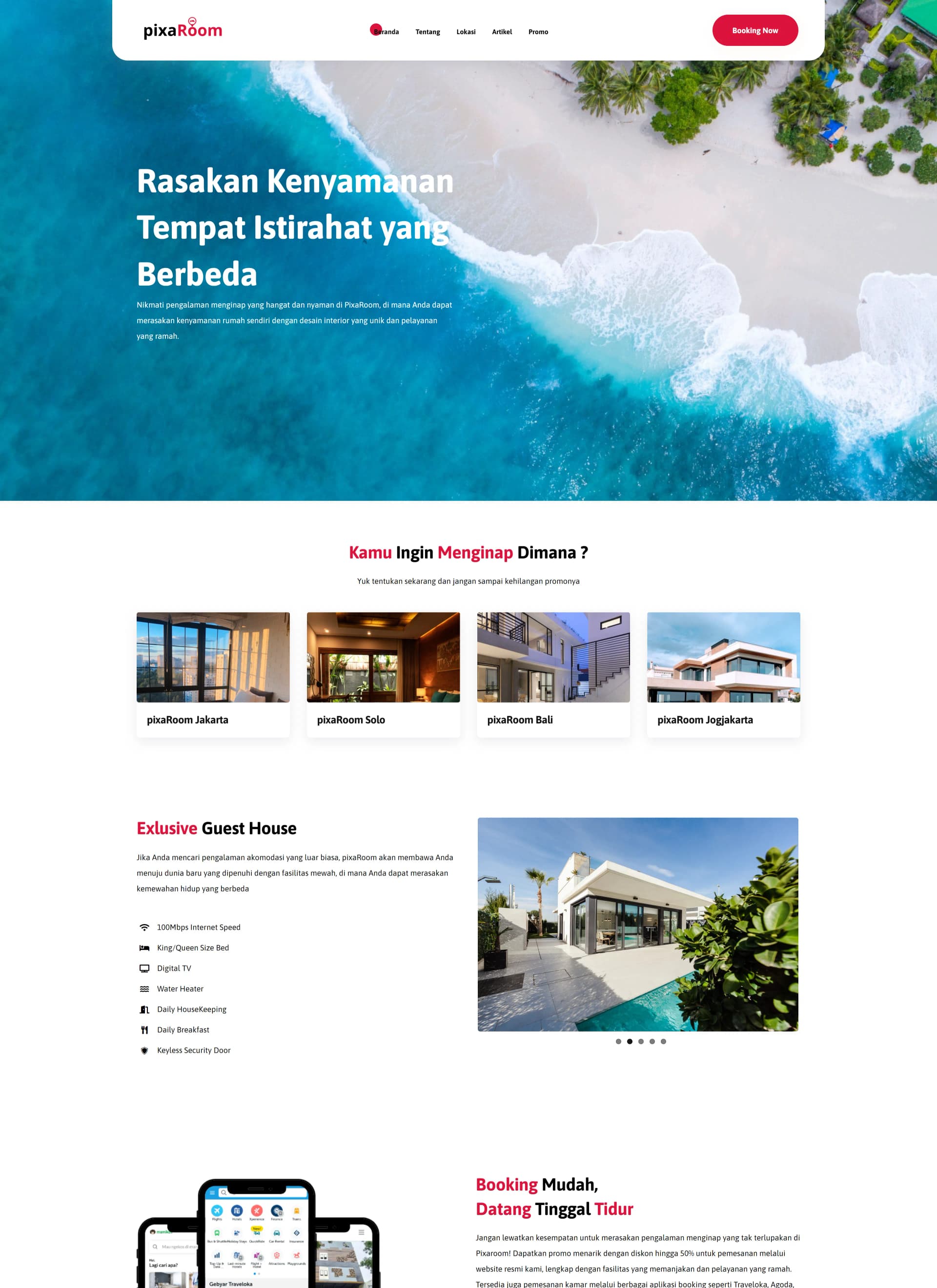
Timeline
How Long Does It Take?
Typical UI/UX engagements run 2–5 weeks depending on screen count.
These are typical ranges, not commitments. The actual schedule is agreed during discovery, once scope and integrations are clear.
Pricing
How Much Does It Cost?
Javapixa quotes per project, not per hour. The client selects a budget band during the quote request and Javapixa scopes the work to fit it.
Rp 5,000,000 – 15,000,000
Landing pages, single-page event sites, small company profiles, website templates, brand identity packages.
Rp 15,000,000 – 25,000,000
Multi-page corporate profile sites with CMS, catalogue or portfolio sites, UI/UX design engagements.
Rp 25,000,000 – 50,000,000
E-commerce builds, government and institutional portals, custom WordPress themes, larger marketing sites with integrations.
Rp 50,000,000 – 100,000,000
Full-stack web applications with authentication, roles, and databases; mobile apps; multi-month builds.
Rp 100,000,000+
Enterprise systems, multi-app platforms, long-running engagements, and projects needing dedicated infrastructure.
Custom
Anything that does not fit a band, the client describes the budget in their own words.
Quotes are free. Javapixa does not publish fixed package prices because scope drives cost; the budget band plus the project description is enough to produce an accurate quote.
Ready to Start?
Let’s Design Something Your TeamCan Actually Build
Tell us what you’re designing. Get a fixed-price proposal within 24 hours.
Typical engagements run 2-5 weeks depending on screen count.