
Business Dashboard
Business Dashboard Development
A role-based internal system for operations, billing, inventory, or reporting, wired into the data your business already has.
A typical dashboard build, scoped to the workflows that actually run your business.
The fit
When a business dashboard is the right call
Businesses running operations on spreadsheets, disconnected tools, or a system that has outgrown what it was built for, and need one place to see and manage the data that runs the business.
Your operations run on spreadsheets that no longer scale
Different tools hold different parts of the same business, none of them talking to each other
Staff, admins, and owners all need different views of the same data
You need reporting that reflects your real numbers, updated as they change
A system you already have has outgrown what it was originally built for
Feature set
What ships in the build
Role-Based Access
Owners, admins, and staff each see what they actually need.
Data Tables & Filters
Built around how your team actually searches and works.
Reporting & Charts
Drawn from your real data, not a demo dataset.
Integrations
Accounting software, payment gateways, and messaging platforms you already use.
Activity Logs
Audit-friendly history of who changed what, where it matters.
Secure by Default
Authentication and permission boundaries built in, not bolted on.
Built for real operations
Not a template, real systems in production
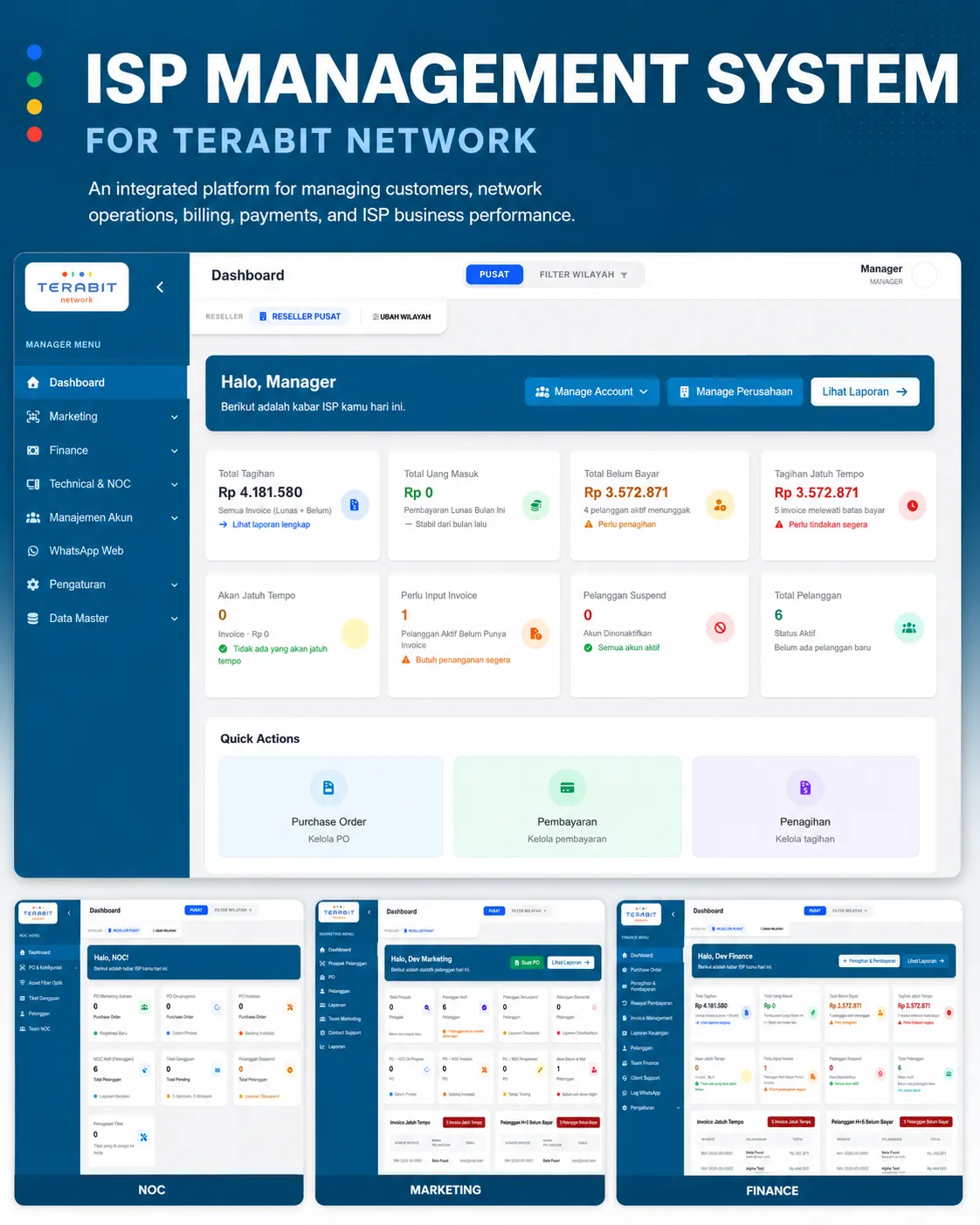
Terabit ISP Management
Seven role-based applications, customer, finance, reseller, NOC, marketing, manager, and super admin, unifying billing, RADIUS authentication, and network monitoring.
Musawarah Supply Chain
Automated reorder triggers and batch tracking across three role-specific apps for admins, drivers, and customers, from one source of stock truth.
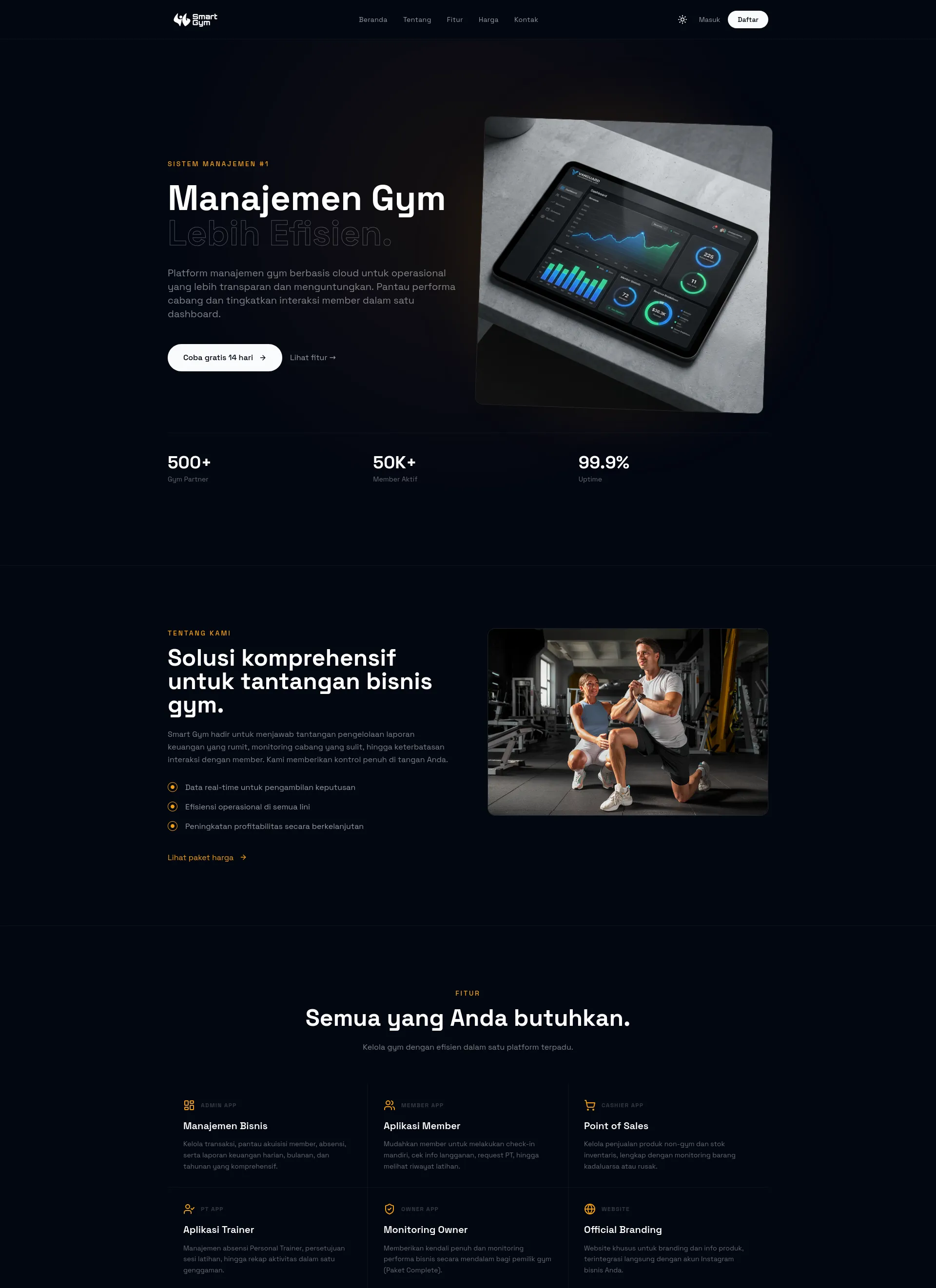
SmartGym Maintenance
A live tenant schema upgrade verified against a restored copy with zero remaining differences, preserving 3,198 member records.
Choosing the right build
Internal dashboard, or a public-facing site?
Business Dashboard
An internal tool for running operations: data, roles, and reporting, not a public-facing site.
Fits managing a business, not marketing it.
Company Profile Website
A public-facing site showing who you are, for clients and partners doing research.
Fits an external audience.
E-Commerce Website
A public storefront for selling products, with its own admin panel included.
Fits selling, not internal operations broadly.
Process
How the project runs
Discover
The workflows, roles, and existing tools mapped before any screen is designed.
Design
Data views and flows designed around how your team actually works, approved before build.
Build
Built and connected to your real data and systems, released in stages for review.
Launch & Handover
Go-live, documented architecture, and training so your team can run it day to day.
Portfolio
Proven Results
Real Success Stories

Timeline
How Long Does It Take?
A focused dashboard covering one core workflow typically takes 6-10 weeks. A multi-role system spanning several departments, like Javapixa's ISP and supply-chain builds, runs 3-4 months or more.
These are typical ranges, not commitments. The actual schedule is agreed during discovery, once scope and integrations are clear.
Pricing
How Much Does It Cost?
Javapixa quotes per project, not per hour. The client selects a budget band during the quote request and Javapixa scopes the work to fit it.
Rp 5,000,000 – 15,000,000
Landing pages, single-page event sites, small company profiles, website templates, brand identity packages.
Rp 15,000,000 – 25,000,000
Multi-page corporate profile sites with CMS, catalogue or portfolio sites, UI/UX design engagements.
Rp 25,000,000 – 50,000,000
E-commerce builds, government and institutional portals, custom WordPress themes, larger marketing sites with integrations.
Rp 50,000,000 – 100,000,000
Full-stack web applications with authentication, roles, and databases; mobile apps; multi-month builds.
Rp 100,000,000+
Enterprise systems, multi-app platforms, long-running engagements, and projects needing dedicated infrastructure.
Custom
Anything that does not fit a band, the client describes the budget in their own words.
Quotes are free. Javapixa does not publish fixed package prices because scope drives cost; the budget band plus the project description is enough to produce an accurate quote.
Start your business dashboard
Tell us how your operations run today. Free quote, response within 24 hours.