
Built by Javapixa · cdn.javapixa.com
Publish MoreWithout Hiring More.
Your writers spend hours on first drafts and SEO fixes. Pixa AI Assistant by Javapixa does the heavy lifting for them, right inside the WordPress editor.
What You Get
Your editorial team, with an AI co-writer built in.
Every feature below works today, right where your writers already work.
From Idea to Draft in Minutes
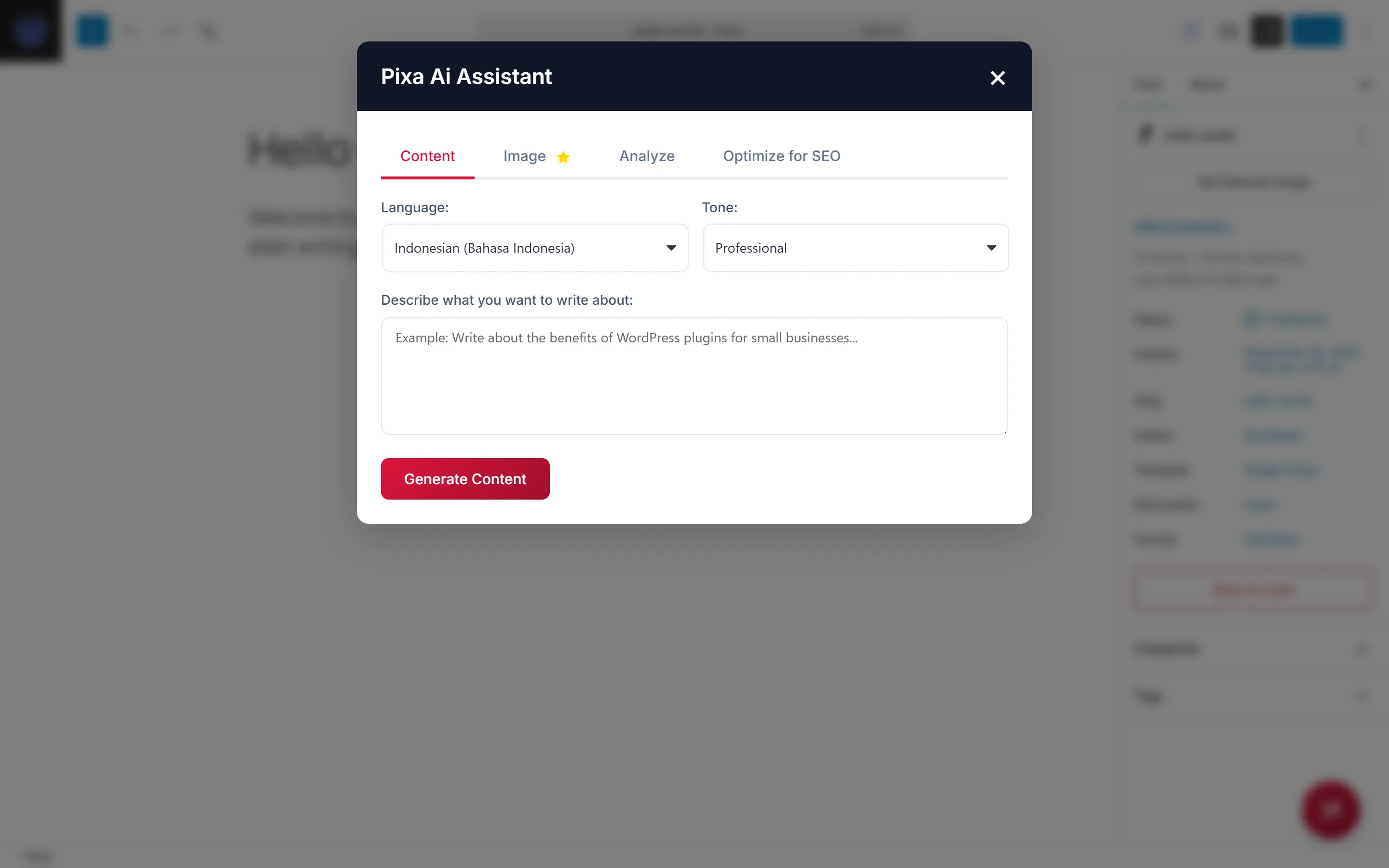
Generate a post from a short description, in the tone you choose.
An Editor Who Never Sleeps
Quality checks, improvement tips, SEO feedback, and structure analysis on demand.
Old Posts, Refreshed
Existing articles are refreshed with better keywords, readability, and headers.
Fluent in Two Languages
Write in Bahasa Indonesia or English, with context-aware results.
One Click Away
A floating button opens every tool without leaving the editor.
Secure by Default
API keys protected, requests rate-limited, failures retried, content validated.
How to Get It
Get Pixa AI Assistant in 4 Steps
Skip building from scratch. Start from a product that already works, and make it yours.
- 01
Try the Plugin
Download Pixa AI Assistant and try it on a WordPress site.
- 02
Tell Us What You Need
Share your branding, the features you want, and how your website works.
- 03
We Tailor It
We brand it for your agency or publication, tune the prompts to your editorial style, and can add other AI models or custom workflows.
- 04
Delivered for Your Site
We deliver the plugin ready to install on your WordPress sites and stay on hand after launch.
cdn.javapixa.com
Give Your Writers Their Afternoons Back.
Get Pixa AI Assistant under your brand, or tell us your editorial workflow. Start with a free consultation; we reply within 24 hours.